The Definitive Comparison: 8 Ways to Move Files Between Android and iPhone in 2026
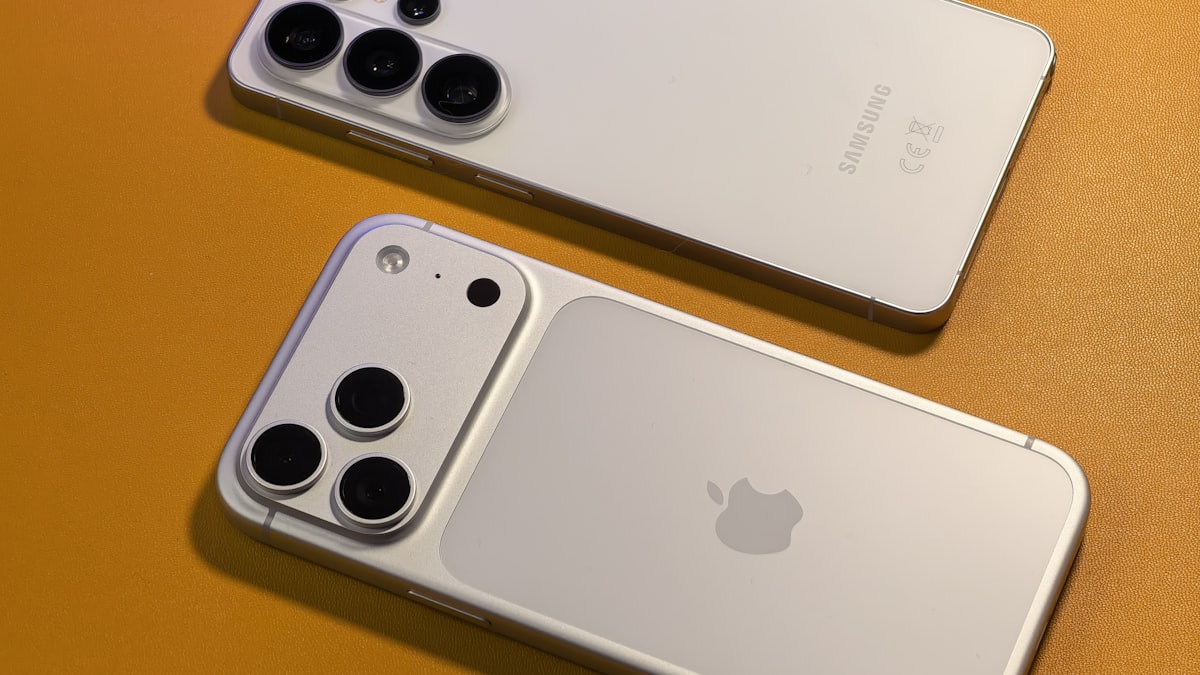
Finding the "best" way to transfer files across platforms is like finding the best tool in a toolbox — the hammer is great for nails, but terrible for screws. In 2026, we have at least 8 distinct ways to move data between Android and iPhone. This guide compares them head-to-head so you can stop guessing and start sharing.
The Core Matrix: 8 Methods at a Glance
Same-platform transfers have built-in solutions: AirDrop for Apple-to-Apple, Nearby Share for Android-to-Android. Cross-platform transfers have no built-in equivalent — Apple and Google haven't collaborated on one, and the ecosystem fragmentation is intentional from both companies' perspectives. Third-party tools fill this gap, and they vary significantly in quality, privacy, and suitability for different file types.
Here are all 8 methods compared on the factors that matter most for cross-platform transfers:
| Method | App Required | Size Limit | File Deleted After? | Works Remotely | Account Needed |
|---|---|---|---|---|---|
| Zapfile | No (browser) | None | Yes — after download | Yes | No |
| WeTransfer | No (browser) | 2GB | Yes — after 7 days | Yes | No |
| PairDrop | No (browser) | None | Never stored | Same WiFi only | No |
| Google Drive | No (browser) | 15GB quota | No — manual only | Yes | Sender required |
| WhatsApp (Document) | Yes — both sides | 2GB | No — stays in chat | Yes | Yes — both sides |
| No | ~25MB | No — on mail servers | Yes | Yes — both sides | |
| USB Cable | No | None | N/A (local copy) | No — physical only | No |
| Proton Drive | No (browser) | 1GB free | No — manual only | Yes | Sender required |
Notice that the three no-account, no-app methods — Zapfile, WeTransfer, and PairDrop — cover most real-world transfer scenarios between them. The key differences: Zapfile deletes after download (no long-term exposure), WeTransfer gives the recipient up to 7 days to download, and PairDrop requires both devices on the same WiFi but transfers at local network speed with nothing touching the internet.
Also readSwitching from Android to iPhone: Move Your Files →By File Type: The Right Method for Each
Photos
One-time transfer, any timing: Zapfile — full original resolution, no compression, any number of photos (zip them first if sending many). No permanent cloud copy — file deleted after download.
Ongoing photo library sync: Google Photos — install on both devices, same account, library syncs automatically. Convenient for families or couples on mixed platforms. Note: Google Photos backs up at "Storage Saver" quality by default (slightly compressed) — enable "Original Quality" in settings if you want uncompressed backup.
Family sharing with privacy concerns: Consider Ente Photos — E2E encrypted, cross-platform, subscription-based. Your photos aren't analyzed by Google's AI.
Videos
Short clips (under 100MB): WhatsApp Document attachment (not the video share button — that compresses). Or Zapfile for uncompressed original.
Long or high-quality videos (100MB–2GB): Zapfile for immediate transfer, WeTransfer for async. Never send long videos via WhatsApp's video option — the compression is severe.
Professional/production video (2GB+): Zapfile with a sustained connection, or Smash (no size limit free tier).
Also readHigh-Speed WiFi File Sharing: Android to iPhone →Documents (PDF, Word, Excel, PowerPoint)
Quickest for immediate delivery: Zapfile or WhatsApp Document attachment.
Related guideSend Files from Android to iPhone Without Any Apps→Recipient downloads later: WeTransfer (auto-expires 7 days, no account) or email if under 25MB.
Sensitive documents: Zapfile — no server copy — plus password-protect the file itself before transfer.
Contacts
Export as .vcf from Android (Contacts app → Export). Transfer the .vcf file via Zapfile or email. On iPhone, tap the file in the Files or Mail app — iOS imports all contacts in one step. Alternatively, just add your Google account to iPhone Settings → Contacts → Accounts → Google, and contacts sync automatically without any file transfer.
Related guideTransfer ZIP Files from Android to iPhone: Extract and Manage Archives→Music
MP3/AAC files you own: zip them, transfer via Zapfile, extract on iPhone, play via VLC (free app). For streaming libraries (Spotify, Apple Music), just log into the same account on both platforms — the music follows the account, not the device.
App Data and Settings
This is the one category that has no good cross-platform solution. App data (game progress, app configurations, in-app content) is siloed within each app's ecosystem. Most apps that support cross-platform use cloud sync through their own infrastructure — check the specific app's settings for a backup or sync option. There is no universal solution here.
Also readAirDrop Not Working? Here Are the Alternatives That Actually Work →By Scenario: What to Use in Each Situation
| Scenario | Best Tool | Why |
|---|---|---|
| One-time transfer, any file type | Zapfile | No accounts, file deleted after download, no size limit |
| Recipient downloads later, under 2GB | WeTransfer | No accounts needed, auto-expires 7 days |
| Same WiFi network, large files | PairDrop | Local network speed, nothing goes to internet |
| Already chatting on WhatsApp | WhatsApp Document | Zero friction if already in the app |
| Moving entire photo library | Google Photos | Handles bulk migration automatically |
| Sensitive files, no persistent server copy | Zapfile | Encrypted — file deleted immediately after download |
| Ongoing collaboration on same document | Google Drive (specific sharing) | Version tracking, simultaneous access |
| Small document under 25MB, casual send | Universal, no setup needed |

The Tools You Can Ignore for Cross-Platform
To save you time: Bluetooth file transfer between Android and iPhone doesn't work — iPhone doesn't support the OBEX file transfer profile. AirDrop is Apple-only. Samsung Quick Share is Samsung-ecosystem only. Android Nearby Share doesn't work with iPhone. None of these are worth trying.
A Simple Default Rule
If I had to give one rule that covers 80% of situations: use Zapfile for one-time delivery where the file should be gone after pickup, and WeTransfer when the recipient needs a few days to download. Both are free, neither requires accounts from the recipient, and neither leaves permanent cloud copies sitting around. Everything else in this guide handles the edge cases — specific file types, privacy requirements, ongoing access needs.
The cross-platform transfer problem between Android and iPhone is genuinely annoying but it's not hard once you have the right tools mapped to the right scenarios. The mistake is trying to find one universal answer — there isn't one, but the matrix above covers everything you'll actually encounter.
Tags

Tanuja Chinthati is the Content and Marketing Lead at ZapFile, based in Ontario, Canada. With a background in Electronics and Communication Engineering, she writes about privacy-first file sharing, secure data transfer, and digital privacy — making complex security concepts accessible to everyday users.
View all articles →